
OBD2 Readiness Monitors: What They Are, Why They’re Not Ready, and How to Fix Them
OBD2 readiness monitors tell you if your car’s self-diagnostic tests have completed. If they’re “not ready,” you can fail emissions, chase false codes, or waste time on parts. Learn what each monitor does, why it won’t set to ready, and how to fix readiness issues the right way....


Modern cars constantly test themselves in the background. Those self-checks are called OBD2 readiness monitors, and they determine whether your engine and emissions systems are working correctly. If your car shows monitors as “not ready”, you can fail an emissions test even if the check engine light is off and the car seems to drive fine.
- 1. What Are OBD2 Readiness Monitors?
- 1.1. Common OBD2 Readiness Monitors
- 2. Why Readiness Monitors Matter
- 2.1. 1. Emissions and Inspection Failures
- 2.2. 2. Hidden Problems Even Without a Check Engine Light
- 2.3. 3. After Clearing Codes or Disconnecting the Battery
- 3. Common Reasons OBD2 Monitors Stay “Not Ready”
- 3.1. 1. Drive Cycle Not Completed
- 3.2. 2. Pending Faults or Intermittent Issues
- 3.3. 3. Incorrect Fuel Level
- 3.4. 4. Low Battery Voltage or Charging Problems
- 3.5. 5. Recently Cleared Codes or ECU Reset
- 3.6. 6. Software or Communication Issues
- 4. How to Check OBD2 Readiness Monitors
- 4.1. 1. Using a Basic OBD2 Scanner
- 4.2. 2. Using a Smartphone App
- 4.3. 3. At an Inspection Station or Shop
- 5. How to Get OBD2 Monitors to Set to “Ready”
- 5.1. Step 1: Fix Any Existing Codes First
- 5.2. Step 2: Verify Battery and Charging System
- 5.3. Step 3: Perform a Generic Drive Cycle
- 5.4. Step 4: Target Stubborn Monitors
- 5.5. Step 5: Don’t Clear Codes Unless Necessary
- 6. When to Suspect a Deeper Problem
- 6.1. Signs of a Deeper Issue
- 6.2. Possible Causes
- 7. OBD2 Readiness Monitors and Safety
- 8. Key Takeaways
This guide explains what OBD2 readiness monitors are, how they work, why they sometimes refuse to set to “ready,” and how to fix readiness issues without just throwing parts at the car.
What Are OBD2 Readiness Monitors?
Every OBD2-equipped vehicle (1996 and newer in the U.S.) has a built-in diagnostic system that constantly checks key components. Each of those automatic tests is called a readiness monitor. When a monitor completes its test successfully, it changes status from “not ready” to “ready”.
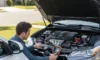
There are two main types of monitors:
- Continuous monitors – Always running whenever the engine is on.
- Non-continuous monitors – Only run when specific conditions are met (speed, temperature, fuel level, etc.).
Common OBD2 Readiness Monitors
- Misfire monitor (continuous) – Looks for engine misfires that can damage the catalytic converter.
- Fuel system monitor (continuous) – Watches short- and long-term fuel trims to keep the air-fuel mixture in range.
- Comprehensive component monitor (continuous) – Checks sensors and actuators like the throttle position sensor, EGR valve, etc.
- Catalyst monitor – Tests catalytic converter efficiency using upstream and downstream oxygen sensors.
- Heated catalyst monitor (if equipped) – Verifies operation of electrically heated catalysts.
- Evaporative emissions (EVAP) monitor – Checks the fuel tank, purge valve, vent valve, and lines for leaks.
- Oxygen sensor (O2) monitor – Ensures the O2 sensors respond correctly to mixture changes.
- Oxygen sensor heater monitor – Verifies that the built-in heaters in O2 sensors work properly.
- EGR or VVT monitor – Checks exhaust gas recirculation or variable valve timing systems, depending on the vehicle.
When you connect an OBD2 scanner, you’ll typically see each monitor listed as:
- Ready / Complete – The test has run and passed.
- Not ready / Incomplete – The test hasn’t run yet or couldn’t complete.
- N/A – The vehicle doesn’t have that system.
Why Readiness Monitors Matter
1. Emissions and Inspection Failures
Most states and many countries use OBD2 readiness status as part of their emissions or safety inspection. Even if your check engine light is off, too many “not ready” monitors can mean an automatic fail.
Typical rules (varies by region):
- 1996–2000 vehicles – Often allowed up to two monitors not ready.
- 2001 and newer – Often allowed only one monitor not ready (and usually not the catalyst or EVAP monitor).
Always check your local regulations, but if you keep seeing “not ready” on your scanner, don’t assume you’ll pass.
2. Hidden Problems Even Without a Check Engine Light
Some issues don’t trigger a code immediately. For example, a marginal oxygen sensor or a small EVAP leak might only be detected once the related monitor runs. If that monitor never completes, you might have a problem lurking in the background.
If you’re also dealing with drivability issues like car jerks when accelerating or hesitation, incomplete monitors can be a clue that the ECU hasn’t finished its checks yet.
3. After Clearing Codes or Disconnecting the Battery
Any time you clear codes with a scanner or disconnect the battery, the ECU resets its readiness monitors to “not ready”. That’s why it’s a mistake to clear codes right before an inspection—you’ll almost always fail for incomplete monitors.
Instead, fix the underlying issue, then drive the vehicle enough to allow all monitors to run and set to ready before heading to the test station.
Common Reasons OBD2 Monitors Stay “Not Ready”
If you’ve driven a reasonable distance and still see several monitors stuck on “not ready”, something is preventing the tests from running or completing. Here are the most common causes.
1. Drive Cycle Not Completed
Each manufacturer defines a specific drive cycle—a series of speeds, loads, and engine temperatures—that must be met for certain monitors to run. If you only drive short trips or never leave city traffic, some monitors may never get the conditions they need.
- EVAP monitor often needs:
- Cold start (engine fully cooled)
- Specific fuel level (commonly 15–85%)
- Steady cruising at highway speeds
- Catalyst and O2 sensor monitors usually need:
- Engine at full operating temperature
- Several minutes of steady speed driving
If your driving pattern is mostly short, stop-and-go trips, it can take many days for all monitors to complete.
2. Pending Faults or Intermittent Issues
The ECU may refuse to complete a monitor if it sees data that’s out of range but not bad enough to trigger a full diagnostic trouble code (DTC). These are called pending codes.
For example:
- A slightly lazy O2 sensor may cause the catalyst monitor to never fully complete.
- A marginal EVAP purge solenoid might prevent the EVAP monitor from finishing.
Use a scanner that can read pending codes and live data. If you’re also seeing a check engine light flashing or intermittent misfires, those issues must be fixed before monitors can reliably set to ready.
3. Incorrect Fuel Level
EVAP monitors are particularly picky about fuel level. Many cars won’t run the EVAP test if the tank is:
- Too low (often under 15%)
- Too full (often over 85%)
If your EVAP monitor is the only one not ready, check your fuel gauge. Aim for roughly half a tank and drive through a complete warm-up and highway cycle.
4. Low Battery Voltage or Charging Problems
OBD2 systems rely on stable voltage. If your battery is weak or your alternator is failing, monitors may reset or fail to complete. You might also notice issues like dashboard lights flickering while driving, dim headlights, or slow cranking.
Before chasing complicated OBD2 issues, verify:
- Battery resting voltage is around 12.6V.
- Charging voltage with engine running is roughly 13.7–14.7V.
5. Recently Cleared Codes or ECU Reset
If you or a previous owner recently cleared codes, replaced the battery, or the ECU lost power, all monitors will show “not ready” until enough drive cycles have been completed. There is no shortcut to instantly set them to ready; the car must run its own tests.
6. Software or Communication Issues
In rare cases, a faulty ECU, corrupted software, or wiring issues on the CAN bus can prevent monitors from reporting correctly. Symptoms might include:
- Random loss of communication with the scanner.
- Multiple unrelated modules throwing communication codes.
- Monitors that never change status despite extensive driving and no other symptoms.
These cases often require dealer-level diagnostics or an experienced independent shop with advanced scan tools.
How to Check OBD2 Readiness Monitors
1. Using a Basic OBD2 Scanner
Most inexpensive OBD2 readers and Bluetooth dongles can show readiness status. Look for a menu labeled:
- “I/M Readiness”
- “Monitors”
- “Inspection/Maintenance”
You’ll usually see a list of monitors with indicators such as:
- OK / Complete
- INC / Incomplete
- N/A
2. Using a Smartphone App
Apps like Torque, Car Scanner, or manufacturer-specific apps (paired with a Bluetooth OBD2 adapter) often give a more user-friendly view of readiness. Many will highlight which monitors are still incomplete and track your progress after each drive.
3. At an Inspection Station or Shop
Inspection stations and repair shops use professional scan tools that can read readiness status quickly. If you’re unsure whether your car is ready for an emissions test, some shops will perform a pre-check for a small fee—or even for free as part of a diagnostic visit.
How to Get OBD2 Monitors to Set to “Ready”
There’s no universal magic trick, but there is a systematic approach that works for most vehicles.
Step 1: Fix Any Existing Codes First
If the check engine light is on or you have stored or pending codes, address those problems before worrying about readiness. Monitors often won’t complete if related faults are present.
Common examples:
- O2 sensor codes (P0130–P0167) can block O2 and catalyst monitors.
- EVAP codes (P0440–P0457) can block the EVAP monitor.
- Misfire codes (P0300–P030x) can block multiple monitors and may cause a flashing check engine light under load.
Step 2: Verify Battery and Charging System
Test the battery and alternator. Replace a weak battery or repair charging issues before attempting drive cycles. Unstable voltage can reset monitors or cause intermittent faults that stop tests from completing.
Step 3: Perform a Generic Drive Cycle
Each manufacturer has its own exact drive cycle, but a generic one works for many cars. Perform this in a safe area, obeying all traffic laws:
- Cold start – Let the car sit for at least 8 hours, then start it without pressing the gas pedal.
- Idle – Let it idle for 2–3 minutes with A/C and electrical loads off.
- Accelerate gently – Drive at moderate acceleration up to about 55 mph (90 km/h).
- Steady cruise – Maintain 55 mph for 10–15 minutes if possible.
- Decelerate without braking hard – Let off the throttle and coast down to 20 mph several times.
- Stop-and-go – Drive in city conditions with several stops and gentle accelerations for 10–15 minutes.
After completing this, recheck readiness. Some monitors may set right away; others might need a couple of days of normal driving.
Step 4: Target Stubborn Monitors
If only one or two monitors remain incomplete, tailor your driving to what those systems need:
- EVAP monitor – Keep fuel between 1/4 and 3/4 tank, start with a cold engine, and include both city and highway driving.
- Catalyst monitor – Ensure the engine reaches full operating temperature, then maintain steady highway speeds for at least 10–15 minutes.
- O2 sensor monitor – Same as catalyst; stable cruise and full warm-up are key.
Step 5: Don’t Clear Codes Unless Necessary
Once monitors are starting to set to ready, avoid clearing codes unless you’ve just fixed a problem and need to verify the repair. Clearing codes resets all readiness data, forcing you to start the process over.
When to Suspect a Deeper Problem
If you’ve driven several complete cycles and still have multiple monitors not ready, it’s time to look deeper.
Signs of a Deeper Issue
- Same one or two monitors never complete, even after hundreds of miles.
- Pending codes keep returning for the same system.
- Live data shows sensors stuck at unrealistic values (e.g., O2 sensor flatlined, coolant temperature never reaching normal).
- Intermittent electrical symptoms, flickering lights, or communication errors between modules.
Possible Causes
- Faulty sensor – e.g., coolant temperature sensor stuck reading cold so the ECU never thinks the engine is warm enough to run certain tests.
- Wiring or connector issues – Corroded grounds, damaged harnesses, or loose connectors can cause intermittent signals.
- Aftermarket modifications – Poorly tuned engine mods, removed catalytic converters, or vented fuel caps can prevent monitors from passing.
- ECU or software problems – Rare, but possible in aging vehicles or after improper tuning.
At this point, a professional scan tool and an experienced technician can save you a lot of guesswork and unnecessary parts replacement.
OBD2 Readiness Monitors and Safety
Readiness status itself doesn’t mean your car is unsafe to drive, but the systems being tested can affect reliability and emissions. For example:
- A misfire monitor that won’t complete might indicate ongoing misfires that can damage the catalytic converter.
- An EVAP system that never passes could be leaking fuel vapors into the atmosphere—or into your garage.
- A catalyst monitor stuck incomplete might hide a failing converter that will later trigger a code and reduce performance.
If you notice new symptoms like rough running, jerking, or a flashing check engine light, don’t ignore them. Those are signs that go beyond simple readiness issues and can lead to expensive damage if left unresolved.
Key Takeaways
- OBD2 readiness monitors show whether your car’s self-tests have completed and passed.
- Too many “not ready” monitors can cause an emissions test failure even if no codes are stored.
- Monitors often stay incomplete due to short trips, incorrect fuel level, pending faults, or low battery voltage.
- After clearing codes or disconnecting the battery, you must complete enough drive cycles for monitors to reset to ready.
- If one or two monitors never complete despite proper driving, suspect sensor, wiring, or software issues and consider professional diagnostics.
Understanding OBD2 readiness monitors helps you avoid surprise inspection failures, catch hidden problems early, and communicate more effectively with your mechanic. With a simple scanner and the right drive cycle, you can verify your car is truly ready—long before you pull into the test lane.
How do you rate this guide?

Related Posts
Comments have been disabled.
