
2014 Chevrolet Malibu: Beginner’s Guide to the Battery Warning Light: What It Means, Simple Checks, and When to Stop Driving
Learn what the battery warning light really means, how to do simple checks at home, and when it’s no longer safe to keep driving before you’re stranded....

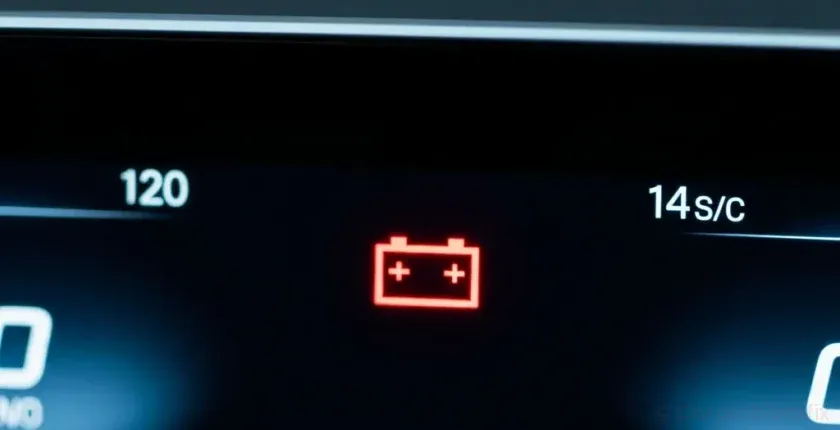
This guide focuses on 2014 Chevrolet Malibu and uses that model/year for all checks and tips. The battery warning light is one of the most misunderstood symbols on your dashboard. Many drivers assume it means the battery itself is bad, but in reality it warns you that your car’s charging system is in trouble. If you ignore it, you can go from driving normally to a completely dead car in minutes or hours.
- 1. What the Battery Warning Light Really Means
- 2. How the Charging System Works (Simple Explanation)
- 3. Common Reasons the Battery Light Comes On
- 4. Is It Safe to Keep Driving With the Battery Light On?
- 5. Simple Checks You Can Do When the Battery Light Comes On
- 5.1. Step 1: Reduce Electrical Load Immediately
- 5.2. Step 2: Do a Quick Visual Check Under the Hood
- 5.3. Step 3: Inspect the Battery Terminals
- 5.4. Step 4: Use a Simple Voltage Test (If You Have a Multimeter)
- 6. Battery Light Behavior: What Different Patterns Mean
- 6.1. Battery Light Comes On Only at Idle
- 6.2. Battery Light Comes On After a Jump-Start
- 6.3. Battery Light Plus Other Symptoms
- 7. When You Should Stop Driving Immediately
- 8. Basic Prevention: How to Avoid Battery Light Problems
- 9. Summary and Next Steps
This beginner-friendly guide explains what the battery light means, how the charging system works in simple terms, the most common causes, step-by-step checks you can do at home, and clear advice on when you must stop driving to avoid being stranded or damaging expensive parts.
What the Battery Warning Light Really Means

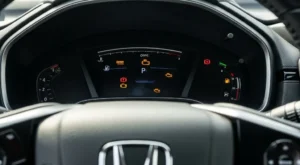
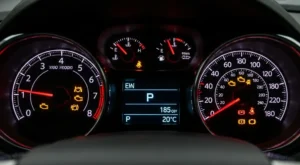
The battery warning light (often a red battery icon or the word “ALT” or “GEN”) turns on when your car’s computer detects a problem with the charging system. That system includes the alternator, battery, belt, wiring, and related sensors.
In normal operation, the alternator generates electricity while the engine runs. It powers the car’s electrical systems and keeps the battery charged. When the battery light comes on, it usually means the alternator is not charging the battery properly, or the system voltage is outside the safe range.
Key points to remember:
- Battery light on = electrical charging problem, not just a weak battery.
- The car may still run for a while on stored battery power, but it will eventually shut off if the issue isn’t fixed.
- A flashing or flickering battery light can indicate an intermittent problem that may get worse quickly.
How the Charging System Works (Simple Explanation)
You don’t need to be a mechanic to understand the basics of your charging system. Knowing the main parts helps you make sense of what the battery light is trying to tell you.
- Battery: Stores electrical energy to start the engine and provide backup power.
- Alternator: A small generator driven by the engine belt that produces electricity while the engine runs.
- Drive belt (serpentine belt): A rubber belt that spins the alternator and often the power steering pump, AC compressor, and water pump.
- Voltage regulator: Controls how much voltage the alternator sends to the battery and electrical system.
- Cables and grounds: Thick wires and ground straps that carry power between the alternator, battery, and the rest of the car.
When any of these parts fail or lose good contact, system voltage can drop or spike. The car’s computer notices this and turns on the battery warning light to give you a chance to react before the engine stalls or electronics are damaged.
Common Reasons the Battery Light Comes On
Most battery light problems fall into a few common categories. Understanding these helps you narrow down what’s happening with your car.
- Failing alternator: Worn brushes, bad internal diodes, or a failed voltage regulator inside the alternator are the most common causes.
- Loose, slipping, or broken belt: If the belt can’t spin the alternator properly, it can’t charge the battery.
- Loose or corroded battery terminals: Poor connections can cause low voltage and trigger the light.
- Bad battery: A severely weak or shorted battery can upset system voltage and turn the light on.
- Wiring or ground problems: Damaged cables, loose grounds, or corroded connectors between the alternator and battery.
- Overcharging: A faulty regulator can push voltage too high, which is dangerous for electronics and will also trigger the battery light.
Sometimes, the battery light shows up along with other symptoms like dim headlights, slow power windows, or strange electrical behavior. These clues help you decide how urgent the problem is.
Is It Safe to Keep Driving With the Battery Light On?
How long you can drive with the battery light on depends on what failed and how much charge is left in the battery. In many cases, you might only have 10–60 minutes before the car dies, especially at night with lights and accessories on.
Use this simple decision guide:
- Battery light on, car drives normally, no other warnings: It’s usually safe to drive a short distance to a safe place or repair shop, but you should minimize electrical use and avoid shutting the engine off until you’re parked where you want to be.
- Battery light plus dimming lights, weak blower, or warning chimes: Your battery is likely draining quickly. You should head straight to the nearest safe parking spot or shop. Expect the engine to stall soon.
- Battery light plus temperature warning or steering suddenly gets heavy: The belt may have broken and you could lose power steering and engine cooling. Pull over as soon as it’s safe and shut the engine off.
- Battery light flashing on and off: This usually means an intermittent charging problem. Treat it as urgent and plan to diagnose it as soon as possible.
If the car stalls and won’t restart, the battery may be too discharged. In that case, you’ll need a jump-start and usually a repair (not just a jump) to fix the underlying charging problem. For more help with no-start situations, see Car Battery Keeps Dying Overnight: Electrical Causes, Diagnosis & Fixes Before You Get Stranded.
Simple Checks You Can Do When the Battery Light Comes On
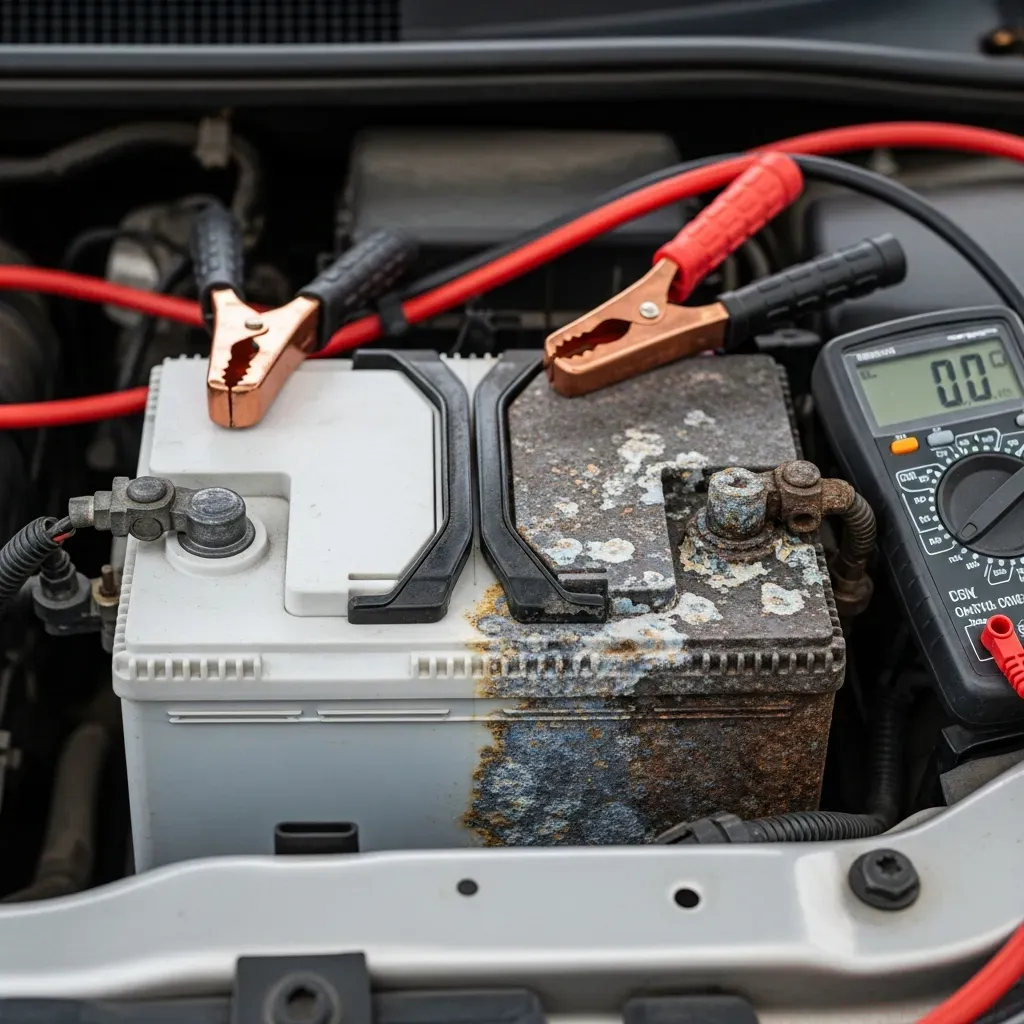
Before assuming you need an alternator, there are several basic checks you can do with minimal tools. These steps are designed for beginners and focus on safety first.
Step 1: Reduce Electrical Load Immediately
When the battery light first appears while driving, your goal is to stretch the remaining battery power so you can reach a safe spot.
- Turn off non-essential electrical loads: rear defroster, heated seats, seat warmers, and phone chargers.
- Turn off the radio and lower the fan speed. If visibility allows, turn off fog lights.
- If it’s safe and legal, switch headlights to low beam instead of high beam.
- Avoid repeatedly turning the engine off and on; starting uses a lot of battery power.
This won’t fix the root problem, but it can buy you time to get off a highway or reach a repair shop.
Step 2: Do a Quick Visual Check Under the Hood
Once you’re parked safely with the engine off and the key removed, you can do a basic visual inspection.
- Open the hood and secure it properly.
- Look at the belt on the front of the engine (usually a wide, ribbed belt). Check if it’s missing, broken, frayed, or very loose.
- Check for obvious damage around the alternator area: burnt smell, melted plastic, or loose wires.
- If the belt is missing or badly damaged, do not restart the engine. You’ll need a tow to avoid overheating or losing steering assist.
If the belt looks intact and reasonably tight, the issue is more likely with the alternator, battery, or wiring.
Step 3: Inspect the Battery Terminals
Poor battery connections can mimic a failing alternator and trigger the battery light.
- Locate the battery, usually under the hood or sometimes under a rear seat or in the trunk.
- Check the terminals where the cables attach to the battery posts.
- Look for white, green, or blue crusty buildup on the terminals. This is corrosion and can cause poor contact.
- Gently try to wiggle the cable ends by hand. They should be snug and not move easily.
If you see heavy corrosion or loose terminals, they need to be cleaned and tightened. This is a relatively simple job for many DIYers, but if you’re not comfortable, a shop can do it quickly. Fixing a loose or corroded terminal can instantly clear the battery light in some cases.
Step 4: Use a Simple Voltage Test (If You Have a Multimeter)
If you have a basic digital multimeter and are comfortable using it, you can get a quick snapshot of your charging system health.
- Set the multimeter to DC volts (20V range is common).
- With the engine off, place the red probe on the positive (+) battery terminal and the black probe on the negative (−) terminal.
- A healthy, fully charged battery usually reads around 12.4–12.7 volts. Much lower suggests a weak or discharged battery.
- Start the engine (if it will start) and measure again at idle.
- With a working alternator, you should see around 13.5–14.5 volts. If it stays near 12 volts or drops, the alternator is likely not charging.
This simple test can help you decide whether you’re dealing more with a battery issue or a charging (alternator) issue. If you’re not comfortable testing yourself, many auto parts stores offer free battery and alternator testing.
Battery Light Behavior: What Different Patterns Mean
The way the battery light behaves can give you extra clues. Here’s how to interpret common patterns.
Battery Light Comes On Only at Idle
If the battery light turns on at stoplights but goes away when you rev the engine or start driving, it can point to:
- A weak alternator that only charges properly at higher RPMs.
- A loose belt that slips more at low speeds.
- High electrical load at idle (AC, lights, rear defroster) overwhelming a marginal alternator.
This is a sign you should schedule diagnosis soon. The alternator may still be working partially, but it’s likely on its way out.
Battery Light Comes On After a Jump-Start
If your car needed a jump-start and then the battery light stays on afterward, consider:
- The battery may be very weak or failing and unable to hold a charge.
- The alternator may not be charging properly, so the battery is draining again as you drive.
- Corroded or loose connections may have been disturbed during the jump.
In this situation, have both the battery and alternator tested. If the car repeatedly needs jumps, you may also want to read about parasitic drains in Car Battery Keeps Dying Overnight: Electrical Causes, Diagnosis & Fixes Before You Get Stranded.
Battery Light Plus Other Symptoms
When the battery light appears along with other warning lights or driving symptoms, pay attention:
- Battery light + check engine light + rough running: Low voltage can cause misfires and engine performance issues. For more on misfires, see Beginner’s Guide to Engine Misfires: Symptoms, Simple Checks, and When to Stop Driving.
- Battery light + ABS or traction control lights: Modern safety systems are sensitive to voltage. Low voltage can temporarily disable them.
- Battery light + transmission shifting oddly: Some transmissions behave strangely when voltage drops, similar to issues described in Delayed Engagement When Shifting Into Drive or Reverse: Causes, Diagnosis & Fixes Before Your Transmission Fails.
Multiple warning lights at once usually mean the problem is serious or voltage is dropping quickly. Plan to stop driving soon and arrange for diagnosis.
When You Should Stop Driving Immediately
Sometimes, continuing to drive with the battery light on can cause more damage or put you at risk. Stop driving and shut the engine off as soon as it’s safe if you notice any of the following:
- Steering suddenly becomes very heavy: This suggests the belt that drives the power steering pump (often the same belt that drives the alternator) has failed.
- Temperature gauge climbs rapidly or a temperature warning light comes on: On many cars, the water pump is driven by the same belt. If the belt breaks, the engine can overheat quickly.
- Strong burning smell or smoke from under the hood: A seized alternator or slipping belt can overheat and damage nearby parts.
- Headlights and dash lights are extremely dim and the engine is stumbling: You’re seconds or minutes from a stall.
In these cases, continuing to drive can cause engine damage or leave you stranded in a dangerous spot. Pull over in a safe area, turn on your hazard lights, and arrange for a tow.
Basic Prevention: How to Avoid Battery Light Problems
You can’t prevent every electrical failure, but a few simple habits reduce your chances of seeing the battery light unexpectedly.
- Inspect the belt periodically: Look for cracks, fraying, or glazing (shiny spots). Replace it on schedule or sooner if it looks worn.
- Keep battery terminals clean and tight: A quick visual check during oil changes can catch corrosion early.
- Replace an aging battery proactively: Most car batteries last about 3–5 years. Testing it annually after year three can prevent surprise failures.
- Listen for belt squeal: A squealing noise on startup or when turning the wheel can indicate a slipping belt that may soon affect charging.
- Avoid heavy electrical loads with the engine off: Long key-on accessory use (stereo, lights) can weaken the battery and stress the alternator later.
Good general maintenance also reduces the risk of being stranded for other reasons. For example, if you’ve noticed vibrations or odd noises along with electrical issues, it’s worth reviewing Car Vibrates While Driving – Causes, Diagnosis & Fixes to catch related problems early.
Summary and Next Steps
The battery warning light is a red flag for your car’s charging system, not just the battery itself. When it turns on, your car is likely running on borrowed time from the battery, and you should minimize electrical use, do basic checks, and head for a safe place or repair shop.
If you notice additional symptoms like dim lights, heavy steering, or rising engine temperature, it’s time to stop driving and arrange a tow. For recurring issues, have a professional test the battery, alternator, belt, and wiring so you fix the root cause, not just the symptoms.
By understanding what the battery light means and acting quickly, you can avoid being stranded on the side of the road and prevent more expensive damage to your vehicle’s electrical and engine systems.
How do you rate this guide?

Related Posts
Comments have been disabled.
