
Beginner’s Guide to OBD2 Codes: How to Read, Understand and Prioritize Check Engine Faults
New to OBD2 codes and scan tools? Learn how to read, interpret, and prioritize check engine faults so you can decide what to fix now, what can wait, and when to see a mechanic....

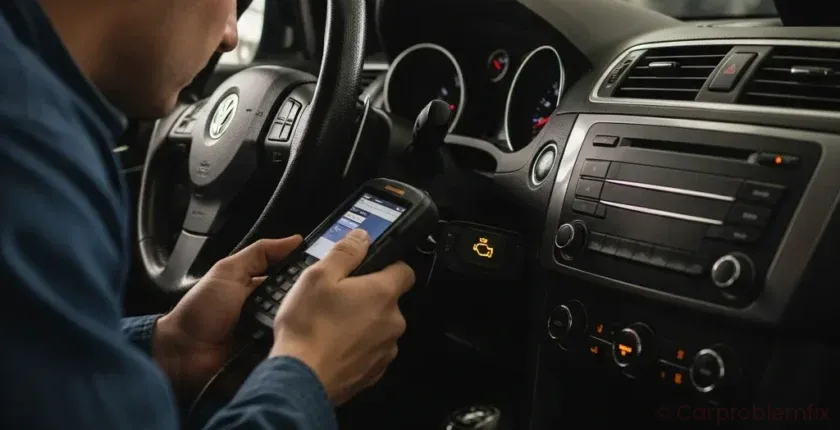
If your check engine light is on and a scanner shows a bunch of OBD2 codes, it can feel overwhelming. The good news: you do not need to be a professional technician to make sense of basic OBD2 information and decide what to do next.
- 1. What Are OBD2 Codes and Why They Matter
- 2. How OBD2 Codes Are Structured (So They Stop Looking Random)
- 3. Tools You Need to Read OBD2 Codes
- 4. Step-by-Step: How to Read OBD2 Codes on Your Car
- 5. Understanding Code Types: Stored, Pending, and Permanent
- 6. How to Look Up OBD2 Codes Without Getting Misled
- 7. How to Prioritize Multiple OBD2 Codes
- 7.1. Step 1: Watch the Check Engine Light Behavior
- 7.2. Step 2: Sort Codes by Safety and Severity
- 7.3. Step 3: Fix “Root Cause” Codes First
- 8. Beginner-Friendly Diagnostic Checklist for OBD2 Codes
- 9. When (and How) to Clear OBD2 Codes
- 10. Summary and Next Steps
This guide walks you through what OBD2 codes are, how to read them with a simple scan tool, how to understand what they mean, and most importantly, how to prioritize which problems to fix first.
What Are OBD2 Codes and Why They Matter
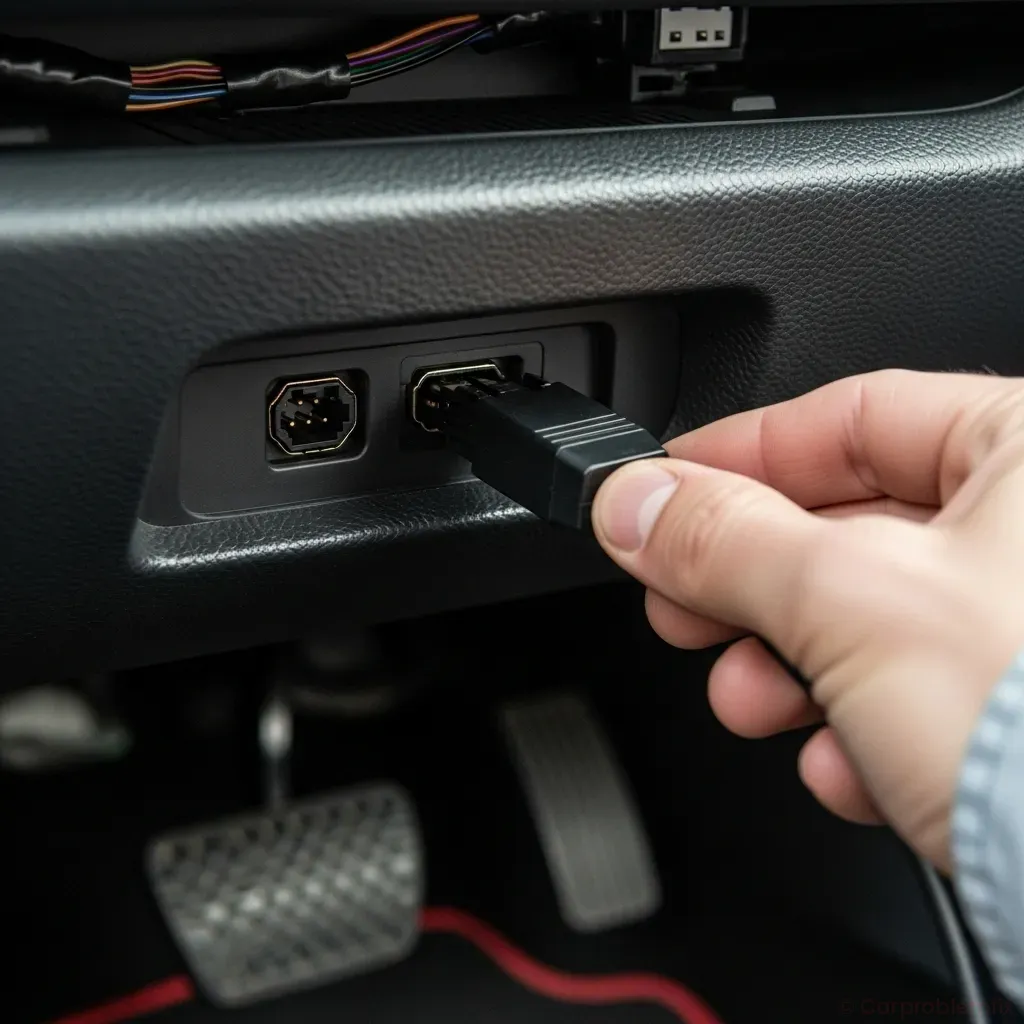

OBD2 (On-Board Diagnostics, second generation) is a standardized system built into every modern car and light truck. It constantly monitors engine, emissions, and some transmission functions. When something is out of range, the system stores a fault code and usually turns on the check engine light.
Each OBD2 code is a short string like P0171 or P0420. The code itself does not say exactly which part to replace; it tells you which system or sensor detected a problem. Understanding that difference will save you time and money.
OBD2 codes matter because they help you:
- Decide if it is safe to keep driving or if you should stop immediately.
- Plan repairs in a logical order instead of guessing and replacing random parts.
- Communicate clearly with a mechanic and avoid unnecessary upsells.
How OBD2 Codes Are Structured (So They Stop Looking Random)
Every generic OBD2 code follows the same pattern: one letter + four digits. Once you know what each position means, codes become much less intimidating.
- First character (letter)
- P = Powertrain (engine, transmission, fuel, ignition, emissions)
- B = Body (airbags, HVAC controls, seat modules, etc.)
- C = Chassis (ABS, steering, suspension modules)
- U = Network/communication issues between modules
- Second character (0 or 1)
- 0 = Generic (same meaning on all OBD2 vehicles)
- 1 (or sometimes 2, 3) = Manufacturer-specific (meaning can vary by brand)
- Third character (0–9) roughly indicates the subsystem, for example:
- 1 = Fuel and air metering
- 3 = Ignition or misfire
- 4 = Auxiliary emissions controls
- Fourth and fifth characters (00–99) identify the specific fault within that subsystem.
Example: P0171
- P = Powertrain
- 0 = Generic code
- 1 = Fuel and air metering
- 71 = System too lean (Bank 1)
Once you see the pattern, you can quickly tell if a code is engine-related, transmission-related, or something like a network communication problem.
Tools You Need to Read OBD2 Codes
You do not need expensive shop equipment to read OBD2 codes. For most DIYers, one of these options is enough:
- Basic handheld OBD2 scanner
- Plugs directly into the OBD2 port.
- Shows stored and pending codes, and usually lets you clear them.
- Good for quick checks and beginners.
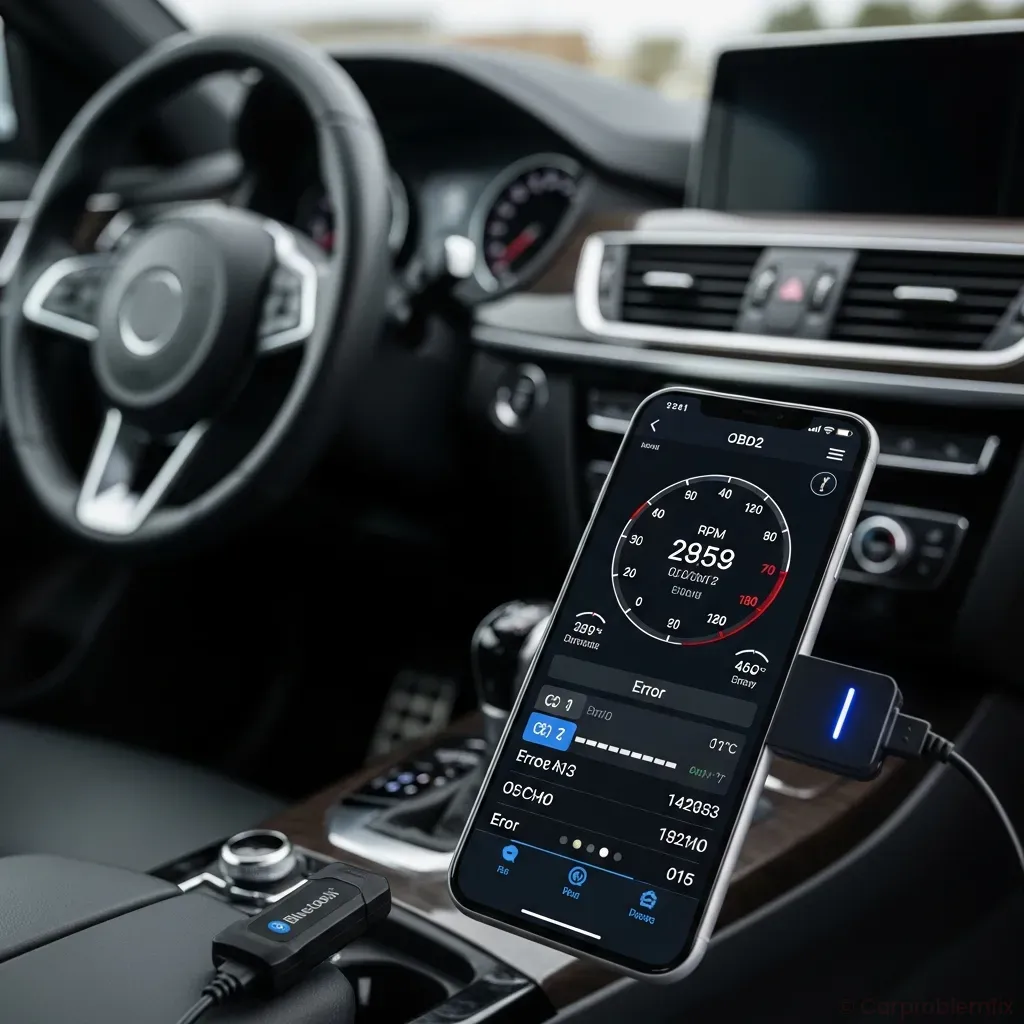
- Bluetooth/Wi-Fi OBD2 adapter + phone app
- Adapter plugs into the OBD2 port and connects to your smartphone.
- Apps can show live data (fuel trims, coolant temp, O2 sensor readings).
- Great for deeper diagnosis and tracking intermittent problems.
Many parts stores will read codes for free, but owning a simple scanner is worth it if you plan to keep your car for a while or do your own basic maintenance.
Step-by-Step: How to Read OBD2 Codes on Your Car
Follow these steps to safely pull codes from almost any OBD2-equipped vehicle (1996 and newer in most regions).
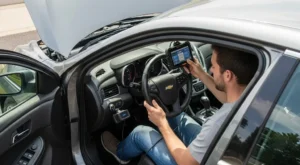
- Locate the OBD2 port
- It is usually under the dashboard near the steering column.
- Sometimes it is behind a small plastic cover or panel.
- Turn the ignition to ON (engine off)
- Most scanners require the key in the ON position, not necessarily with the engine running.
- Check your scanner’s instructions; some ask you to start the engine after connecting.
- Plug in the scanner or adapter
- Gently push the connector into the port until it is fully seated.
- Most tools power up from the car; some have their own battery.
- Follow the scanner prompts
- Select your vehicle if required (year, make, model, engine).
- Choose “Read Codes” or “Diagnostics.”
- Write down all codes
- Record every code exactly, including pending codes.
- Note whether the code is stored, pending, or permanent.
- Do not clear codes yet
- Clearing codes erases valuable freeze-frame data (a snapshot of conditions when the fault occurred).
- Only clear codes after you have recorded them and made a plan.
If your car will not start at all, you can still often read codes with the key in the ON position. For no-start situations, it can help to review a dedicated guide like Car Won’t Start in Cold Weather: Causes, Diagnosis & Fixes if the problem appears in low temperatures.
Understanding Code Types: Stored, Pending, and Permanent
When you read codes, you will often see different categories. Knowing the difference helps you avoid chasing ghosts.
- Stored (current) codes
- These have triggered the check engine light.
- The fault has occurred enough times to be considered a real problem.
- Pending codes
- The computer has seen a fault once or intermittently.
- If it happens again, it may become a stored code and turn on the light.
- Good to monitor; they often point to early or intermittent issues.
- Permanent codes
- These remain even after clearing codes until the system verifies the problem is truly fixed.
- They are used mainly for emissions-related faults.
If you see a pending code but no stored code and no drivability symptoms, you can usually keep driving while you monitor it. If a pending code becomes stored, it is time to investigate.
How to Look Up OBD2 Codes Without Getting Misled
Once you have the codes, your next step is to look up what they mean. Be careful: many online sources jump straight to “replace this part,” which can be wrong.
- Start with the basic definition
- Most scanners show a short description (for example, “P0301 – Cylinder 1 Misfire Detected”).
- Use that description as a starting point, not a final diagnosis.
- Check for patterns across multiple codes
- If you have several codes related to the same system (for example, multiple lean codes), there may be a common cause like a vacuum leak.
- If you have many unrelated codes (engine, ABS, communication), you might be dealing with a low-voltage or ground problem.
- Avoid parts-cannon advice
- Articles or videos that say “P0XXX? Replace this sensor” without testing steps are red flags.
- Use code descriptions to guide testing (checking wiring, vacuum leaks, fuel pressure), not to guess at parts.
Remember that a code tells you what the computer saw, not why it saw it. For example, an oxygen sensor code might be caused by a vacuum leak or exhaust leak, not a bad sensor.
How to Prioritize Multiple OBD2 Codes
Seeing a long list of codes can be intimidating. A simple priority system helps you decide what to fix first and what can wait.
Step 1: Watch the Check Engine Light Behavior
- Flashing check engine light
- Usually indicates a severe misfire that can damage the catalytic converter quickly.
- Reduce speed, avoid hard acceleration, and get the car checked immediately.
- Solid (steady) check engine light
- Indicates a fault that affects emissions or performance but is usually not an immediate safety risk.
- Plan diagnosis soon, but you can typically drive short distances if the car runs normally.
Step 2: Sort Codes by Safety and Severity
Group your codes into three levels:
- Level 1 – Immediate attention
- Flashing check engine light, severe misfire codes (P0301–P030X), or codes with major drivability issues (stalling, no power).
- Stop or limit driving until diagnosed; continuing to drive can cause engine or catalytic converter damage.
- Level 2 – High priority but not emergency
- Fuel trim/mixture codes (P0171, P0172), EGR faults, EVAP leaks that cause strong fuel smells.
- Address within days to a couple of weeks to avoid long-term damage or poor fuel economy.
- Level 3 – Lower urgency
- Minor EVAP leaks with no smell, some sensor performance codes where the car still runs well.
- Plan repair when convenient, but do not ignore them forever.
Also consider other symptoms. If you have codes plus pulling, vibrations, or noises, you may have separate mechanical issues. For example, if the car drifts to one side, see Car Pulls to One Side While Driving – Causes, Diagnosis & Fixes in addition to addressing engine codes.
Step 3: Fix “Root Cause” Codes First
Sometimes one root problem triggers several codes. Chasing the wrong one first wastes time and money.
- Look for power or communication codes
- U-codes (network) or codes about low voltage can cause many other modules to complain.
- Fix battery, alternator, and ground issues first if you see these.
- Address obvious air or fuel issues before sensor codes
- If you have lean codes plus a mass airflow (MAF) sensor code, check for vacuum leaks or intake leaks before replacing the MAF.
- Unmetered air or fuel problems often confuse multiple sensors.
- Use common sense and symptoms
- If the car runs rough and you have one misfire code plus several random codes, start with the misfire.
- Once the main issue is fixed, clear codes and see which ones return.
Beginner-Friendly Diagnostic Checklist for OBD2 Codes
Use this basic checklist whenever you get new codes. It will help you avoid missing simple causes.
- Check battery health and connections
- Weak batteries and corroded terminals can trigger multiple random codes.
- Clean and tighten battery terminals; have the battery load-tested if it is older.
- Look for obvious loose or damaged parts
- Check for loose intake hoses, disconnected vacuum lines, or broken connectors.
- Inspect around the air filter box and throttle body for anything out of place.
- Note all symptoms
- Rough idle, poor acceleration, hard starting, or unusual noises help narrow down which code to chase first.
- If you hear rhythmic thumping that changes with speed, that is more likely a tire or drivetrain issue; see Car Makes Thumping Noise That Speeds Up With the Car for that type of problem.
- Compare live data (if your tool supports it)
- Look at coolant temperature (should rise steadily as the engine warms).
- Check short-term and long-term fuel trims; very high positive numbers may indicate a lean condition.
- Research the most severe code first
- Focus on codes that match your symptoms and safety concerns.
- Use multiple reputable sources and look for testing steps, not just part recommendations.
- Plan one change at a time
- After each repair or test, clear codes and drive the car to see what returns.
- Changing multiple things at once makes it harder to know what actually fixed the issue.
When (and How) to Clear OBD2 Codes
Clearing codes is easy, but timing matters. Clearing too early can erase useful data and make diagnosis harder.
- Clear codes after repairs, not before
- Always read and record codes and freeze-frame data before you erase anything.
- After a repair, clear the codes and drive through a mix of city and highway conditions.
- Understand that the light may not go off immediately
- Some systems need one or more “drive cycles” to verify the problem is gone.
- If the light stays off after several trips, the fix likely worked.
- Do not clear codes just to pass inspection
- Many inspection systems check readiness monitors; if they are not set, you may fail even without a light.
- Permanent codes will not clear until the car’s self-tests confirm the issue is resolved.
Summary and Next Steps
OBD2 codes are not something to fear. With a basic scanner and an understanding of how codes are structured, you can read, interpret, and prioritize check engine faults without guessing. Focus on safety first, then address root-cause issues before chasing minor or secondary codes.
If you are ever unsure whether it is safe to keep driving, or if you have a flashing check engine light, severe drivability problems, or repeated codes that come back after repairs, it is time to involve a qualified mechanic. Use your code notes and observations to explain what you have seen; that information helps the technician diagnose faster and more accurately.
How do you rate this guide?

Related Posts
Comments have been disabled.
