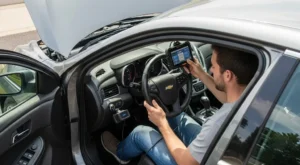
If your check engine light just came on, you do not automatically need an expensive shop visit. Modern cars store fault information as OBD2 codes that you can read at home with a simple scanner. Once you understand what those codes mean, you can decide whether it is safe to keep driving, try a basic DIY fix, or book a repair.
- 1. What Is OBD2 and Why Your Car Stores Codes
- 2. Basic Types of OBD2 Codes (and What the Letters Mean)
- 3. Choosing the Right OBD2 Scanner as a Beginner
- 3.1. 1. Simple Handheld Code Readers
- 3.2. 2. Bluetooth/Wi‑Fi Adapters with a Phone App
- 3.3. 3. Mid‑Range Scan Tools
- 4. How to Find and Plug Into the OBD2 Port
- 5. Step-by-Step: How to Read OBD2 Codes at Home
- 6. How to Understand OBD2 Codes Without Getting Overwhelmed
- 6.1. 1. Start With the Code Description
- 6.2. 2. Check for Multiple Related Codes
- 6.3. 3. Combine Codes With Symptoms
- 7. When It Is Safe to Clear Codes (and When It Is Not)
- 7.1. Safe Situations to Clear Codes
- 7.2. Do NOT Clear Codes Yet If:
- 8. Step-by-Step: How to Clear OBD2 Codes Correctly
- 9. Using OBD2 Data to Decide: Keep Driving, DIY, or See a Mechanic?
- 9.1. 1. The Car Feels Normal, Light Is Solid, and Codes Are Minor
- 9.2. 2. The Car Runs Poorly but Is Still Drivable
- 9.3. 3. The Check Engine Light Is Flashing or There Are Multiple Serious Codes
- 10. Common Beginner Mistakes With OBD2 (and How to Avoid Them)
- 11. Summary and Next Steps
This beginner-friendly guide explains what OBD2 is, how to choose and use a scanner, how to interpret codes without getting lost in jargon, and how to clear codes safely without hiding real problems.
What Is OBD2 and Why Your Car Stores Codes
OBD2 (On-Board Diagnostics, second generation) is a standardized system used on almost all cars and light trucks sold in the U.S. and many other markets since the late 1990s. It lets the engine computer (often called the ECM or PCM) monitor sensors and components and store a fault code when something is out of range.
When the computer detects a problem that could affect emissions, performance, or safety, it turns on the check engine light and saves a code in memory. That code is a short label that points you toward the system that is unhappy: fuel mixture, misfire, oxygen sensors, EVAP (vapor leak), and so on.
OBD2 codes are not a parts list. A code tells you where to start looking, not exactly what to replace. For example, a fuel trim code might be caused by a vacuum leak, a bad sensor, low fuel pressure, or even an exhaust leak.
Basic Types of OBD2 Codes (and What the Letters Mean)
Every OBD2 code has a letter followed by four digits, like P0301 or B0028. The letter tells you which part of the vehicle the code relates to.
- P-codes (Powertrain): Engine, transmission, fuel system, ignition, emissions. These are the most common and the ones that usually trigger the check engine light.
- B-codes (Body): Airbags, power seats, climate control, and other interior systems.
- C-codes (Chassis): ABS, traction control, steering, suspension.
- U-codes (Network/Communication): Problems with modules talking to each other on the vehicle network (CAN bus).
The first digit after the letter is also important:
- 0 = Generic code (standardized across most makes).
- 1 or 2 = Manufacturer-specific code (meaning varies by brand).
- 3 = Reserved or special use.
The last three digits narrow down the system and fault type. For example, P0301 means cylinder 1 misfire detected, while P0442 means a small EVAP system leak.
Choosing the Right OBD2 Scanner as a Beginner
You do not need a professional shop tool to read OBD2 codes. For basic home use, there are three main categories of scanners.
1. Simple Handheld Code Readers
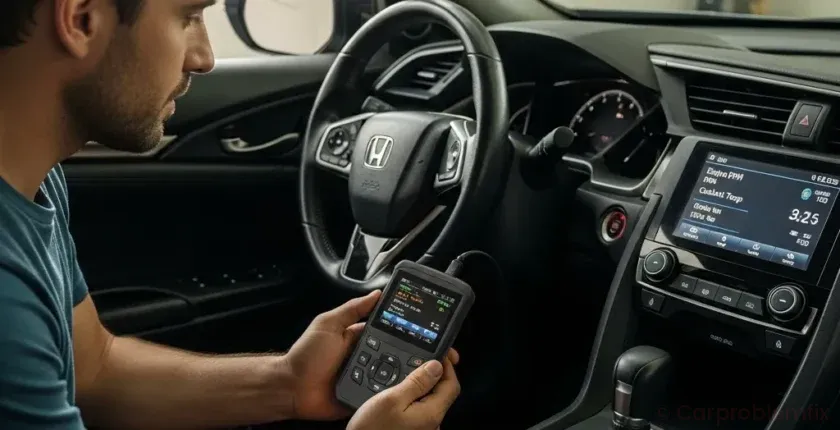
These are small devices with a screen and a cable that plugs into the OBD2 port. They usually show stored and pending codes and let you clear them.
- Pros: Cheap, simple, no phone required, easy to keep in the glove box.
- Cons: Limited live data, basic descriptions, may not read ABS/airbag codes on some cars.
2. Bluetooth/Wi‑Fi Adapters with a Phone App
These plug into the OBD2 port and connect to your smartphone via Bluetooth or Wi‑Fi. The app shows codes, live sensor data, and sometimes basic tests.
- Pros: Lots of data, graphs, easy to update, can store reports.
- Cons: Quality varies by brand, you must keep your phone charged and connected, some cheap adapters are unreliable.
3. Mid‑Range Scan Tools
These look like larger handheld tablets or dedicated devices. Many can read powertrain, ABS, airbag, and body codes, and some can perform special functions like ABS bleeding or throttle relearns.
- Pros: More coverage, clearer code descriptions, better for multi-car households.
- Cons: More expensive, more menus to learn.
For a beginner, a simple handheld reader or a reputable Bluetooth adapter is usually enough to read and clear basic OBD2 codes and see live data like coolant temperature and oxygen sensor readings.
How to Find and Plug Into the OBD2 Port
The OBD2 port is a 16‑pin connector usually located inside the cabin, not under the hood. It must be within reach of the driver seat by design.
- Most common location: Under the dashboard, just above your knees, slightly left or right of the steering column.
- Other possible spots: Behind a small plastic cover, inside a coin tray, or near the center console by the driver’s footwell.
- On some vehicles: Behind a flip-down panel or under a small door labeled “OBD” or “Diagnostic”.
Once you find it, the scanner plug only fits one way. Do not force it. The port has a trapezoid shape; align the wider side of the connector with the wider side of the port.
Step-by-Step: How to Read OBD2 Codes at Home
Follow this procedure each time you want to read codes so you do not accidentally clear useful information.
- Make sure the car is parked safely.
Park on a flat surface, set the parking brake, and put the transmission in Park (automatic) or Neutral (manual). Turn off accessories like AC and lights. - Locate and plug in the scanner.
Find the OBD2 port and plug in your scanner or Bluetooth adapter. Make sure the connector is fully seated. - Turn the ignition to ON (engine off).
Most scanners need the key in the ON/RUN position so modules are powered but the engine is not running. Push-button start cars usually require pressing the start button without pressing the brake pedal. - Power up the scanner or open the app.
Handheld tools usually turn on automatically. For Bluetooth adapters, open the app and connect to the adapter following its instructions. - Select “Read Codes” or similar.
Use the menu to choose “Read Codes,” “Diagnostic Trouble Codes,” or “Check Engine.” The scanner will communicate with the car and list stored and sometimes pending codes. - Write down or save the codes.
Record each code exactly, including letters and numbers (for example, P0174, P0455). Many apps let you email or export a report. - Check for freeze frame data (if available).
Some scanners show a snapshot of engine conditions when the code set: RPM, speed, coolant temp, load. This can help you or a mechanic understand what was happening when the fault occurred. - Turn the ignition off and unplug the scanner.
Once you have the codes and any snapshots, turn the key off and unplug the tool if you are done. Do not leave cheap Bluetooth adapters plugged in permanently if the car sits for long periods; they can slowly drain the battery.
How to Understand OBD2 Codes Without Getting Overwhelmed
Once you have codes, the real question is: what do they mean for you and your car? You do not need to become a professional technician, but you should understand the basics.
1. Start With the Code Description
Most scanners show a short description next to the code, like “System Too Lean Bank 1” or “Cylinder 2 Misfire Detected.” Use this as your starting point. If your tool only shows the code, you can look up the description in its manual or within the app.
Remember that the description points to a system, not a specific failed part. “O2 Sensor Circuit” could be a bad sensor, damaged wiring, or even an exhaust leak.
2. Check for Multiple Related Codes
Look at the full list of codes, not just the first one. Often, one root problem triggers several codes.
- If you see several codes related to the same system (for example, multiple EVAP codes), focus on that system first.
- If you see low-voltage or communication codes along with random others, you might have a battery or power issue rather than multiple bad parts.
3. Combine Codes With Symptoms
Codes alone never tell the whole story. Always think about how the car is behaving:
- Is the engine running rough, stalling, or lacking power?
- Is fuel economy suddenly worse?
- Is the check engine light flashing (serious misfire) or solid?
- Are there any other warning lights like ABS, traction control, or hybrid system warnings? For example, if you also see a hybrid warning, you may want to review a guide like Hybrid System Warning Light On: Causes, Diagnosis & Safe-Driving Guide.
Matching codes to real-world symptoms helps you decide if you can safely drive, try a simple DIY check, or need professional help right away.
When It Is Safe to Clear Codes (and When It Is Not)
Clearing codes is easy, but doing it at the wrong time can erase valuable diagnostic information or hide a serious problem. Use this checklist before you hit “Erase.”
Safe Situations to Clear Codes
- After a confirmed repair: You or your mechanic replaced a known bad part or fixed a leak, and you want to verify that the code does not return.
- After a loose gas cap incident: You found the gas cap loose, tightened it, and want to clear an EVAP code like P0455 or P0442. If it comes back after a few drive cycles, you likely have a real leak.
- After a low-battery or jump-start event: Sometimes low voltage sets temporary codes. If the car now runs normally and codes are clearly voltage-related, you can clear and monitor for return.
Do NOT Clear Codes Yet If:
- The check engine light is flashing: This usually indicates a severe misfire that can damage the catalytic converter. Do not clear and continue driving; have the car towed or inspected immediately.
- The car runs very poorly or stalls: Clearing codes will not fix the underlying issue and may erase data that helps a technician.
- You plan to take the car to a shop soon: Mechanics need stored and pending codes and freeze frame data to diagnose efficiently. Clearing them first can make the job harder and more expensive.
- You are due for an emissions test: Clearing codes resets readiness monitors. Your car may automatically fail inspection until it completes enough drive cycles to re-run self-tests.
Step-by-Step: How to Clear OBD2 Codes Correctly
Once you have decided it is safe and appropriate to clear codes, follow these steps.
- Fix or address the likely cause first.
Tighten the gas cap, reconnect any loose hoses, or complete the repair. Clearing codes without fixing anything usually means they will come back quickly. - Connect the scanner and turn the ignition ON.
Plug in the tool, turn the key to ON (engine off), and let the scanner connect to the vehicle. - Navigate to “Erase Codes” or “Clear DTCs.”
Most tools have a menu item for clearing codes. Select it and confirm when prompted. Some tools will warn you that freeze frame and readiness data will be erased. - Wait for confirmation.
The scanner will usually say “Erase Done” or similar. The check engine light should turn off if there are no immediate hard faults. - Start the engine and observe.
Start the car and let it idle. Watch for rough running, warning lights, or unusual behavior. Take a short drive and re-scan afterward to see if any codes return.
If the same code comes back quickly, you still have an active fault. At that point, more detailed diagnosis or a visit to a qualified shop is usually the best move.
Using OBD2 Data to Decide: Keep Driving, DIY, or See a Mechanic?
OBD2 tools are not just for reading codes; they help you make smart decisions about what to do next. Use this simple decision guide.
1. The Car Feels Normal, Light Is Solid, and Codes Are Minor
- Examples: Small EVAP leak codes, minor sensor range codes, or a single oxygen sensor code with no drivability issues.
- What to do: Check simple things first (gas cap tightness, obvious loose hoses). You can usually drive short distances while monitoring. If the code persists, schedule a non-urgent appointment.
2. The Car Runs Poorly but Is Still Drivable
- Examples: Misfire codes (P0301–P030X), fuel trim codes, or throttle body codes with hesitation or rough idle.
- What to do: Limit driving, avoid high loads (heavy acceleration, towing, high speeds), and plan a prompt diagnosis. You may be able to combine OBD2 data with basic checks like spark plug condition or air filter inspection. If you are comfortable with basic maintenance, a resource like DIY Oil Change for Beginners: Step-by-Step Guide to Protect Your Engine and Save Money can help you build skills for simple tasks, but misfire and fuel issues often need deeper testing.
3. The Check Engine Light Is Flashing or There Are Multiple Serious Codes
- Examples: Flashing MIL with misfire codes, multiple cylinder misfires, lean and misfire codes together, or codes plus severe loss of power.
- What to do: Avoid driving if possible. A flashing light means potential catalytic converter damage. Have the car towed or inspected immediately. Do not clear codes before a professional diagnosis.
Common Beginner Mistakes With OBD2 (and How to Avoid Them)
Even with a good scanner, it is easy to fall into a few traps. Avoid these mistakes to save time and money.
- Parts swapping based only on codes: Replacing sensors just because they are mentioned in a code often wastes money. For example, a lean code does not automatically mean bad oxygen sensors; it could be a vacuum leak or fuel issue.
- Ignoring related maintenance: Codes related to fuel trim, misfire, or emissions often show up on cars that are overdue for basic maintenance. Regular oil changes, air filter replacement, and spark plug service help prevent many code-triggering issues.
- Clearing codes before documenting them: Always write down or save codes before erasing them. If the problem is intermittent, you may not see the same code again for a while.
- Using a low-quality adapter or app: Very cheap Bluetooth adapters can drop connections, show incorrect data, or even cause communication errors. Spend a little more on a reputable brand.
Think of your OBD2 tool as a thermometer, not a doctor. It tells you something is wrong and roughly where, but you still need diagnosis and judgment to decide the treatment.
Summary and Next Steps
Learning to read and understand OBD2 codes at home turns the check engine light from a mystery into a useful warning system. With a basic scanner, you can safely pull codes, interpret what system is affected, and decide whether to keep driving, attempt simple checks, or see a mechanic.
Use your OBD2 tool to gather information, not to guess at parts. If the car runs poorly, the light is flashing, or codes return quickly after clearing, stop driving and seek professional help. For ongoing reliability, combine OBD2 awareness with regular maintenance and timely repairs so small issues do not grow into major breakdowns.