- 1. Why Your Engine Overheats in Traffic but Cools Down on the Highway
- 2. Key Symptoms of Low‑Speed or Traffic‑Only Overheating
- 3. Top Causes of Engine Overheating at Low Speeds or in Traffic
- 3.1. 1. Electric Cooling Fan Not Working (Most Common)
- 3.1.1. Common fan‑related failures
- 3.1.2. DIY diagnosis steps
- 3.1.3. Typical fixes
- 3.2. 2. Weak or Failing Mechanical Fan Clutch (Older Trucks & SUVs)
- 3.2.1. Signs of a bad fan clutch
- 3.2.2. Diagnosis
- 3.2.3. Fix
- 3.3. 3. Low Coolant Level or Air Pockets in the System
- 3.3.1. Symptoms
- 3.3.2. DIY checks
- 3.3.3. Fixes
- 3.4. 4. Partially Clogged Radiator or Condenser Airflow
- 3.4.1. Causes
- 3.4.2. Diagnosis
- 3.4.3. Fixes
- 3.5. 5. Sticking or Partially Closed Thermostat
- 3.5.1. Symptoms
- 3.5.2. Diagnosis
- 3.5.3. Fix
- 3.6. 6. Weak Water Pump or Slipping Drive Belt
- 3.6.1. Signs of water pump or belt issues
- 3.6.2. Diagnosis
- 3.6.3. Fixes
- 3.7. 7. Head Gasket Beginning to Fail (Early Stages)
- 3.7.1. Warning signs
- 3.7.2. Diagnosis
- 3.7.3. Fix
- 4. Step‑by‑Step DIY Diagnosis for Traffic‑Only Overheating
- 4.1. Step 1: Confirm the Pattern
- 4.2. Step 2: Check Coolant Level and Look for Leaks
- 4.3. Step 3: Verify Fan Operation
- 4.4. Step 4: Inspect Airflow Path
- 4.5. Step 5: Evaluate Thermostat and Water Pump Behavior
- 4.6. Step 6: Rule Out Early Head Gasket Issues
- 5. Is It Safe to Drive a Car That Overheats in Traffic?
- 6. When to DIY and When to See a Professional
- 6.1. Good DIY candidates
- 6.2. Best left to a shop
- 7. Preventing Future Overheating Problems
- 8. Bottom Line
Why Your Engine Overheats in Traffic but Cools Down on the Highway
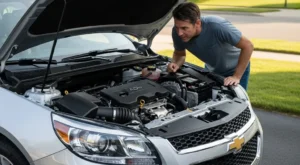
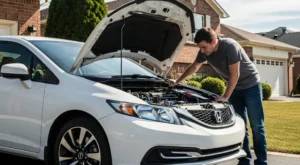
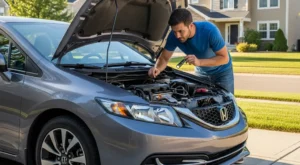
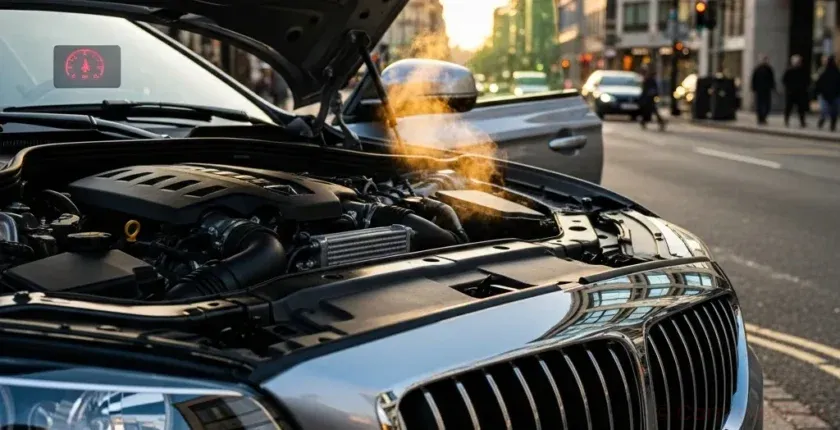
When an engine overheats only at low speeds, in traffic, or while idling, but seems fine at 40–70 mph, that pattern is a huge clue. It almost always points to a problem with coolant flow or airflow through the radiator at low vehicle speed.
At higher speeds, your car gets strong natural airflow through the grille, and the water pump is spinning faster, helping the engine stay cool even if part of the system is weak. At idle or in stop‑and‑go traffic, the cooling system has to work harder with less airflow and less pump speed. Any weakness shows up quickly as a rising temperature gauge or warning light.
This guide explains the most common causes of engine overheating at low speeds, how to diagnose them at home, and what to fix before you warp the cylinder head or blow a head gasket.
Key Symptoms of Low‑Speed or Traffic‑Only Overheating
Pay attention to the exact conditions when the temperature climbs. These details help narrow down the cause:
- Overheats at idle or in traffic only, but temperature drops once you start driving at 30–60 mph.
- Cooling fan runs constantly or never seems to turn on.
- AC performance drops or blows warm when the engine gets hot in traffic.
- Temperature gauge slowly creeps up at every long stoplight or drive‑thru line.
- Coolant boiling into the overflow tank or a sweet smell under the hood after idling.
- Heater blows cool air when the engine is hot (often a sign of low coolant or air pockets).
If the engine overheats any time, including at highway speeds, you may be dealing with a more serious issue like a clogged radiator, failing water pump, or head gasket problem. But if it’s primarily a low‑speed or traffic issue, start with the causes below.
Top Causes of Engine Overheating at Low Speeds or in Traffic
1. Electric Cooling Fan Not Working (Most Common)
Modern cars rely heavily on one or two electric radiator fans to pull air through the radiator and condenser at low speeds. If the fan doesn’t run when it should, the engine will overheat in traffic but cool down once you’re moving.
Common fan‑related failures
- Burned‑out fan motor – fan never comes on, even when very hot or with AC on.
- Failed fan relay – the fan itself is good, but power never reaches it.
- Blown fan fuse – often caused by a fan motor that’s drawing too much current.
- Bad fan control module – on some cars, a separate module controls fan speeds and on/off logic.
- Faulty coolant temperature sensor – the computer doesn’t realize the engine is hot, so it never commands the fan on.
- Damaged wiring or loose connector – intermittent fan operation, especially over bumps.
DIY diagnosis steps
- Turn the AC on with the engine idling. On most cars, at least one fan should run almost immediately.
- Watch the temperature gauge. When it reaches normal operating temp, at least one fan should cycle on.
- If the fan doesn’t run, check the fan fuse and relay in the under‑hood fuse box. Swap the relay with an identical one if available.
- With the engine off, spin the fan by hand (if accessible). It should rotate smoothly without grinding or binding.
- Use a multimeter to check for power and ground at the fan connector when the engine is hot and the fan should be on. Power present + fan not spinning = bad fan motor.
Typical fixes
- Replace failed fan motor or fan assembly.
- Replace fan relay or blown fuse (and investigate why it blew).
- Repair damaged wiring or connectors.
- Replace a faulty coolant temperature sensor or fan control module if they’re not commanding the fan on.
2. Weak or Failing Mechanical Fan Clutch (Older Trucks & SUVs)
Many older trucks and SUVs use a belt‑driven mechanical fan with a thermostatic clutch. When the engine is hot, the clutch locks up and the fan pulls a lot of air. When it’s cool, the clutch slips to reduce drag.
A worn fan clutch often causes overheating at low speed, especially when towing or in hot weather.
Signs of a bad fan clutch
- Fan spins freely by hand when the engine is hot (it should feel stiff with some resistance).
- Roaring fan noise disappears even when the engine is hot and working hard.
- Overheating only in traffic or while towing, but not at highway speeds with good airflow.
Diagnosis
- With the engine off and hot, try to spin the fan. It should not free‑wheel easily.
- Look for silicone fluid leakage from the clutch hub.
- Listen for the fan to engage loudly on a cold start and then quiet down; if it never roars, it may be weak.
Fix
- Replace the fan clutch (often done together with the fan if it’s cracked or brittle).
3. Low Coolant Level or Air Pockets in the System
Low coolant or trapped air can cause localized hot spots, especially in the cylinder head, and reduce the system’s ability to transfer heat at idle.
Symptoms
- Heater blows cold at idle but warms up when revving the engine.
- Gurgling or sloshing sounds behind the dash (air in heater core).
- Coolant reservoir repeatedly drops below MIN after driving.
DIY checks
- Check coolant level in the reservoir when the engine is stone cold. It should be between MIN and MAX.
- If accessible and safe, check the radiator level (only when cold, and only if your car has a removable cap).
- Inspect for external leaks: hose connections, radiator seams, water pump weep hole, heater core (wet carpet, foggy windows, sweet smell).
Fixes
- Repair leaks (hoses, clamps, radiator, water pump, heater core).
- Refill with the correct coolant type and properly bleed air from the system using the manufacturer’s procedure (often involves a bleed screw or vacuum fill tool).
4. Partially Clogged Radiator or Condenser Airflow
Even with a good fan, if the radiator or AC condenser is physically blocked, airflow at low speeds will be poor. At highway speeds, the sheer air pressure can partially overcome the blockage, masking the problem.
Causes
- Debris (leaves, plastic bags, dirt, cottonwood fluff) packed between the radiator and condenser.
- Bent fins from pressure‑washing or road debris.
- Aftermarket accessories (light bars, winches, off‑road bumpers) blocking grille airflow.
Diagnosis
- Shine a light through the grille and visually inspect the radiator and condenser.
- Look between the radiator and AC condenser; this gap often hides packed debris.
- With the engine off, place a sheet of paper against the grille and start the engine with AC on. The fan should pull the paper firmly against the grille; weak pull suggests poor airflow.
Fixes
- Carefully blow out debris with low‑pressure compressed air from the engine side out.
- Use a soft brush and low‑pressure water to clean fins; avoid bending them.
- Relocate or modify accessories blocking the grille.
5. Sticking or Partially Closed Thermostat
A thermostat that doesn’t open fully can restrict coolant flow, especially noticeable at low speeds where the system has less margin. At highway speeds, some engines can still stay within a semi‑safe range thanks to increased pump speed and airflow, but the engine will run hotter than normal.
Symptoms
- Slowly creeping temperature gauge in traffic.
- Upper radiator hose stays cool much longer than normal after startup (thermostat not opening).
- Sudden temperature spikes followed by quick drops as the thermostat sticks and then pops open.
Diagnosis
- Use an infrared thermometer on the thermostat housing and upper radiator hose as the engine warms up.
- Compare to the rated thermostat temperature (e.g., 180°F/82°C or 195°F/90°C).
Fix
- Replace the thermostat and gasket with an OEM‑spec unit; avoid cheap no‑name thermostats.
6. Weak Water Pump or Slipping Drive Belt
If the water pump impeller is eroded, loose on the shaft, or the drive belt is slipping, coolant flow at idle can be insufficient, leading to overheating in traffic.
Signs of water pump or belt issues
- Coolant leak from the water pump weep hole or bearing area.
- Squealing belt, especially at startup or when turning on the AC.
- Overheating at idle that improves when revving the engine slightly (in Park/Neutral).
Diagnosis
- Inspect the serpentine belt for cracks, glazing, or contamination with oil/coolant.
- Check for play or wobble at the water pump pulley (engine off).
- Listen for grinding or growling from the pump area.
Fixes
- Replace a worn or contaminated serpentine belt and tensioner.
- Replace the water pump if leaking, noisy, or suspected of impeller damage (common on some plastic‑impeller designs).
7. Head Gasket Beginning to Fail (Early Stages)
A mildly leaking head gasket can push combustion gases into the cooling system, forming air pockets and overwhelming the radiator at low speeds. At highway speeds, the extra airflow can temporarily mask the problem.
Warning signs
- Unexplained coolant loss with no visible external leak.
- Hard upper radiator hose and very high pressure in the system soon after cold start.
- White exhaust smoke after warm‑up (coolant burning).
- Milky oil on dipstick or under oil cap (coolant mixing with oil).
- Overheating worse in traffic, but present at other times too.
Diagnosis
- Use a combustion leak tester (block tester) on the radiator neck or reservoir to detect exhaust gases in coolant.
- Perform a cooling system pressure test and a cylinder leak‑down test.
Fix
- Head gasket replacement and possible cylinder head machining if warped. This is a major repair; address overheating early to avoid reaching this stage.
Step‑by‑Step DIY Diagnosis for Traffic‑Only Overheating
Use this logical sequence to pinpoint the problem without throwing random parts at the car.
Step 1: Confirm the Pattern
- Note whether the car only overheats at idle/low speed or also at highway speeds.
- Watch the temperature gauge and any warning lights closely.
- Turn the AC on and see if overheating gets worse in traffic (extra load on cooling system).
Step 2: Check Coolant Level and Look for Leaks
- With the engine cold, check the reservoir level and top up with the correct coolant mix if needed.
- Inspect for wet spots, stains, or dried coolant crust around hoses, radiator, water pump, and heater core area.
Step 3: Verify Fan Operation
- Start the engine and let it idle with the AC on. At least one fan should run.
- Let the engine reach normal operating temperature. The fan should cycle on and off as needed.
- If the fan never runs, or runs weakly, focus on fan motor, relay, fuse, wiring, or fan clutch (if mechanical).
Step 4: Inspect Airflow Path
- Look through the grille for debris blocking the radiator or condenser.
- Check for aftermarket accessories obstructing airflow.
- Clean and straighten fins carefully if needed.
Step 5: Evaluate Thermostat and Water Pump Behavior
- Monitor how quickly the upper radiator hose warms up after a cold start.
- If possible, use an infrared thermometer to compare radiator inlet and outlet temperatures.
- Listen for belt noise and check belt condition.
Step 6: Rule Out Early Head Gasket Issues
- Check for bubbles in the coolant reservoir at idle once warm.
- Look for white smoke from the exhaust and milky oil.
- If suspicious, have a shop perform a block test and pressure test.
Is It Safe to Drive a Car That Overheats in Traffic?
Driving a car that overheats, even only in traffic, is risky. Each overheat episode can:
- Warp the cylinder head, leading to expensive machine work.
- Blow the head gasket, mixing oil and coolant.
- Damage pistons and rings, causing permanent engine damage.
If the temperature gauge climbs into the red or a high‑temperature warning appears:
- Turn off the AC and turn the heater to full hot with the fan on high to help shed heat.
- Pull over safely as soon as possible and shut the engine off.
- Do not open the radiator cap while hot; wait until it cools completely.
Persistent overheating can also trigger the check engine light. If that happens, it’s worth reviewing how to respond properly; see our detailed guide, Mastering the Check Engine Light: What It Really Means, How Urgent It Is, and What to Do Next.
When to DIY and When to See a Professional
Many low‑speed overheating issues are DIY‑friendly, but some require tools and experience.
Good DIY candidates
- Checking and topping up coolant level (using the correct type).
- Inspecting and replacing radiator fan fuses and relays.
- Cleaning debris from the radiator and condenser.
- Replacing a serpentine belt on many vehicles.
- Replacing an electric fan assembly on some models (often bolt‑in).
Best left to a shop
- Cooling system pressure testing and block testing for head gasket issues.
- Replacing a water pump on timing‑belt‑driven engines (often requires full timing belt service).
- Head gasket replacement or cylinder head machining.
- Complex cooling system bleeding procedures on some modern vehicles.
Preventing Future Overheating Problems
Once you’ve fixed the immediate issue, a few habits can dramatically reduce the chance of overheating returning:
- Follow your owner’s manual for coolant change intervals and always use the specified type.
- Inspect hoses, belts, and the radiator annually for cracks, swelling, or corrosion.
- Keep the front of the radiator and condenser clean from bugs and debris.
- Address any brake drag or sticking calipers that make the engine work harder; see our Complete Guide to Preventive Brake Maintenance: Intervals, DIY Checks & Costly Mistakes to Avoid.
- Don’t ignore starting issues or electrical problems that may hint at broader system neglect; if your car ever only clicks when you turn the key, our guide Car Makes Clicking Noise but Won’t Start: Causes, Fixes & Full Diagnosis walks through that scenario.
Bottom Line
Engine overheating at low speeds or in traffic is usually caused by insufficient airflow through the radiator or reduced coolant flow when the engine is idling. Electric fan failures, weak fan clutches, low coolant, clogged radiators, sticking thermostats, and weak water pumps are the main culprits.
By carefully observing when the overheating happens, checking fan operation, inspecting coolant level and leaks, and evaluating airflow, you can usually pinpoint the problem without guesswork. Fix it early, and you’ll avoid the far more expensive consequences of warped heads and blown head gaskets.